Haihui Eastern editorial team · Published 2026-10-08 · Reviewed 2026-10-09

Keep text clear at the lid and body.
This external retail cup illustrates visible reading areas; its decoration process and material are not verified Haihui Eastern specifications.
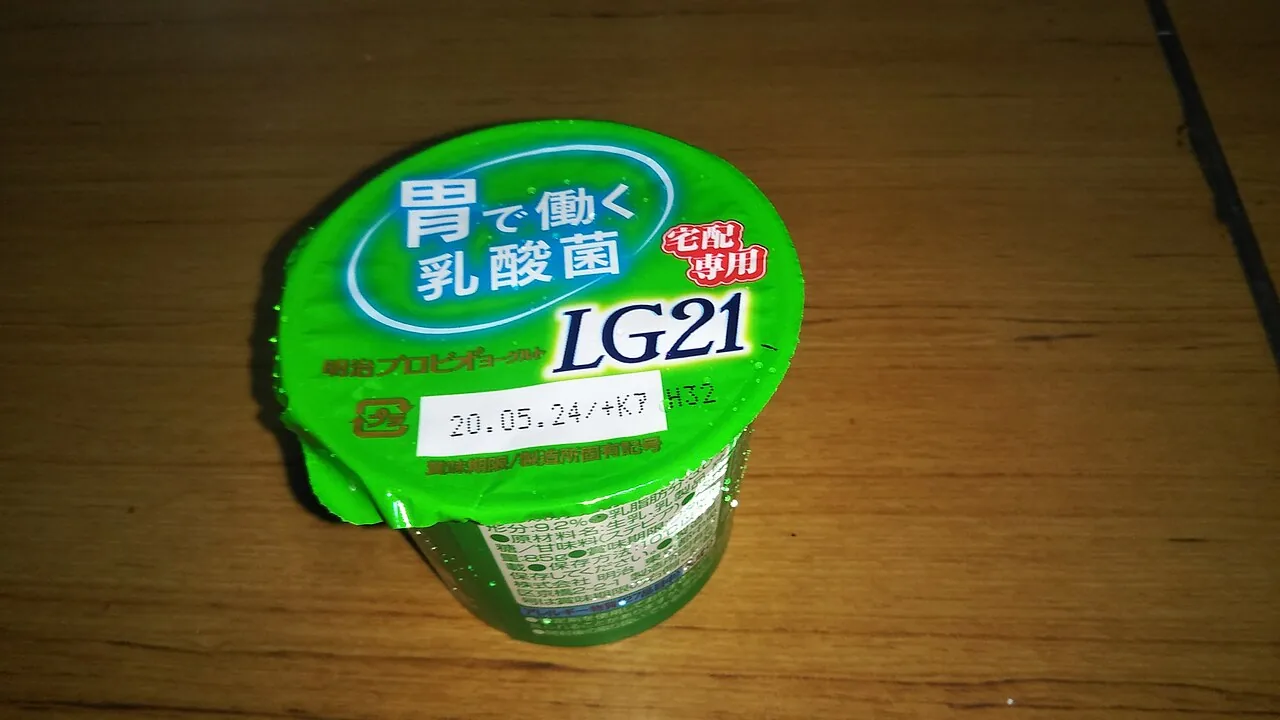
Confirm the container before designing the label
Request the production dieline for the exact container model and each decorated surface. The supplier should identify the cut line, visible area, overlap or seam, safe area and any placement limitations. Confirm the units and whether artwork is viewed from the printed or finished-pack side.
A bucket photograph is useful for discussing appearance, but it is not a dimensional artwork template. Changing the model, lid or decoration area after approval may change the required files. Treat the approved container drawing and dieline as part of the same project record.
Prepare files that can be checked
- Supply an editable print layout in the format requested by the label printer.
- Keep the dieline, artwork and technical notes on clearly identified layers.
- Resolve fonts and linked images using the printer’s requested workflow.
- Use the requested color mode, spot-color definitions and reference colors.
- Apply the printer’s specified bleed, safe area and image-resolution requirements.
- Identify barcodes, variable text, versions and language-specific content.
Do not assume universal artwork tolerances
Bleed, minimum text size, trapping, color conversion and image resolution depend on the printing and label specification. Obtain written requirements for the project. An attractive screen preview does not establish that the file meets production requirements.
Keep mandatory product information legible at the actual label size. Check language, ingredients or warnings with the person responsible for the packaged product. The packaging supplier’s file review does not replace your responsibility for the accuracy of the label content.
Review appearance and technical fit separately
| Review | Questions to resolve |
|---|---|
| Content | Are names, units, warnings, languages and contact details correct? |
| Geometry | Does the label fit the approved dieline and decorated surfaces? |
| Are colors, image quality, fine text and barcode treatment agreed? | |
| Finished pack | Does important information remain visible with lid and handle fitted? |
| Approval record | Which version is approved, by whom and for which model? |
Keep a controlled approval sequence
Give each revision a clear filename and version. Send one consolidated set of comments rather than separate, conflicting instructions. Record whether you are approving content, a digital proof, a color reference or an actual decorated sample; these are different decisions.
Before production, confirm the exact approved artwork, model, decorated areas and label finish in writing. If the design changes later, ask which approvals and costs are affected. Preserve the previous version so that an unexpected result can be traced to the relevant approval.
What to send with your artwork enquiry
Send the container drawing or selected format, intended contents, target market, expected order quantity, number of designs and current artwork status. If you do not yet have a dieline, send a visual reference and request one after model confirmation. Use email for files; the web enquiry form records the project brief without attachments.
Purchasing questions
Can I use this guide as a product specification?
No. This guide helps prepare a purchasing or artwork brief. The agreed model drawing, material information, artwork proof and application-specific documents control the order.
What is the next step after reading this guide?
Choose a container format and send the contents, pack size, quantity, destination and any unresolved questions. Include a drawing or sample reference if available.
Sources and further reading
General purchasing guidance does not replace the approved model drawing, test results or order terms.